
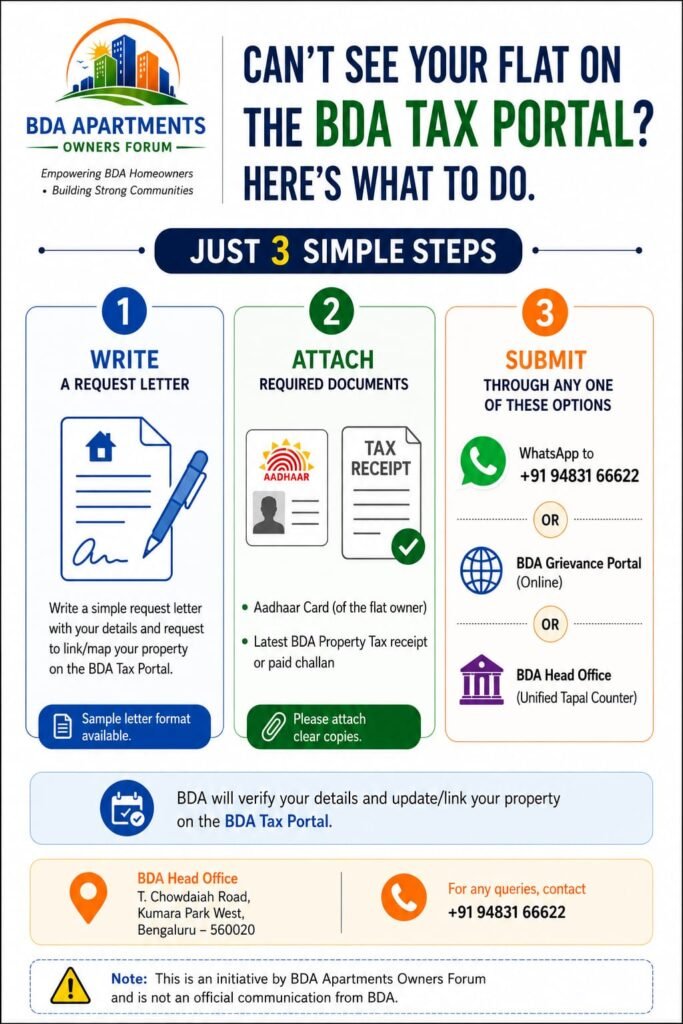
Many residents across Bangalore Development Authority apartment townships have recently faced an issue where their flat details are not visible on the BDA Property Tax Portal.
The good news is that the issue can usually be resolved in just a couple of working days by following a simple process.
How to Get Your Flat Mapped on the BDA Tax Portal
Step 1: Write a Request Letter
Prepare a simple request letter mentioning:
- Flat number
- Owner name
- Apartment project name
- Contact number
- Any other relevant details
Step 2: Attach Supporting Documents
Keep the following documents ready:
- Sale deed / allotment letter
- Latest tax receipt
- Aadhaar or ID proof
- Any other relevant document
Step 3: Send Everything to the BDA Helpline on WhatsApp
Share the request letter along with supporting documents through the official BDA helpline WhatsApp number.
In most cases, the flat mapping is completed within two working days.
Download Sample Request Letter
Residents can use the sample format here:
Sample Letter for BDA Tax Portal Flat Mapping
Why This Matters
Proper flat mapping on the BDA tax portal helps residents:
- Pay property tax without issues
- Access tax records easily
- Avoid future ownership or assessment complications
- Ensure apartment details are correctly updated in BDA records
Residents facing issues are encouraged to complete the process at the earliest to avoid delays during tax payments and other property-related services.